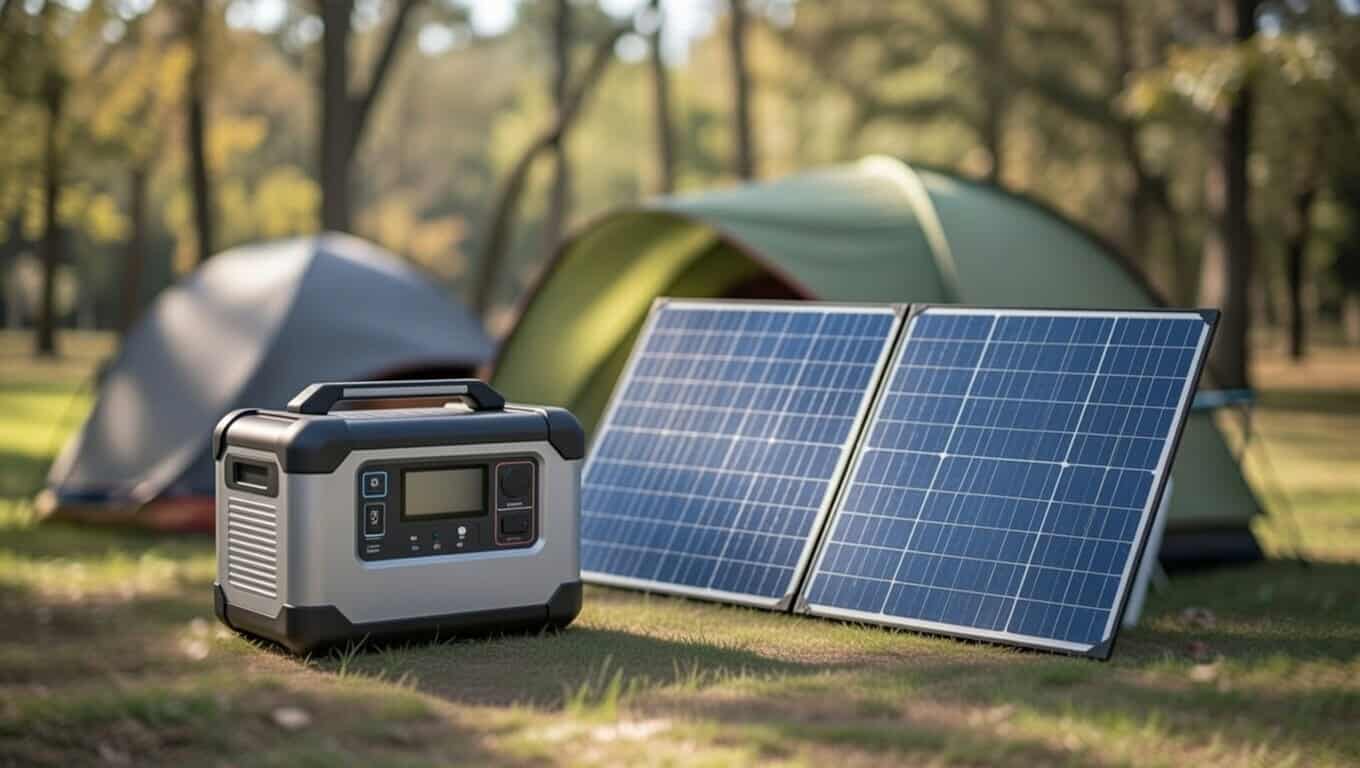

It was a Sunday morning. The camping trip was over, the car was unpacked, and the first thing that needed attention was the portable power station — phones were dead, the laptop was at 8%, and the unit had maybe been sitting in the back of the truck for two days. Plugged it in. Nothing happened. No fan, no indicator light, no charge percentage ticking up on the screen. Just silence.
This isn’t a rare problem. We’ve seen this exact scenario play out with EcoFlow, Bluetti, Jackery, Goal Zero, and AllPowers units — portable power stations from every major brand. It’s not a defect in most cases. It’s one of five very common, very fixable causes, and figuring out which one you’re dealing with takes about five minutes if you know what to check.
Before we get into it: if your unit is smoking, leaking, visibly swollen, or hot to the touch — stop using it immediately and contact the manufacturer. Everything below is for standard charging failures. Not emergencies.
Start Here: A 3-Minute Diagnostic
Before jumping into individual causes, run through this first. It’ll tell you whether the problem is on the power side (the outlet, the cable) or the unit side (the battery, the BMS, the firmware). That distinction matters because the fixes are completely different.
Step 1 — Plug the same outlet into something else. A phone charger. A lamp. Anything. If it works, the outlet is fine — move on. If nothing works, the outlet (or the circuit) is the issue.
Step 2 — Try a completely different cable. Not a “probably fine” cable. A different one. If you don’t have a spare, borrow one or grab one from a drawer. Cable failures are invisible from the outside.
Step 3 — Look at the display. Does it show anything at all? An error code? A temperature warning? A battery percentage? Even a flicker tells you the unit has power internally.
Step 4 — Think about where the unit has been sitting. Cold garage? Car trunk in January? Direct sun on a 95°F afternoon? Temperature is a bigger deal than most people realize.
Step 5 — Check the battery level. If it’s at 0% — or has been at 0% for a while — that changes the troubleshooting path entirely.
One of these five steps will point you to the right section below.
1. The Cable
This is where most charging failures actually live. And the frustrating part is that a dead cable looks exactly like a working cable. No visible damage, no fraying, no obvious sign anything is wrong — but the connection isn’t actually happening.
Why cables fail without notice:
The most common issue is the barrel connector. Most portable power stations use a 5.5mm × 2.1mm DC barrel plug — the same round connector you’ve probably seen on older laptops. These connectors can look fully seated but actually have a slight gap in the pin contact. It feels like it’s plugged in. It isn’t making the connection needed to transfer 10–15 amps.
The other issue is amperage rating. A cable that’s rated for 5A will technically fit into a 15A port. It just can’t handle the current your power station is trying to draw. What happens? Nothing. Or it heats up slightly and trips an internal protection. Either way, no charge.
How to confirm it’s the cable:
You already checked the outlet in the diagnostic above — if that passed, the outlet is fine. Now swap the cable. If charging starts with a different cable, you found your problem. A replacement 5.5mm × 2.1mm DC cable rated for 15A runs $8–15 on Amazon. Don’t buy the cheapest one. Spend $12–15 for something actually rated for the current.
One thing worth noting: Goal Zero uses a non-standard 8mm barrel connector on several of their models. If you have a Goal Zero unit, check the label on the bottom before buying a replacement cable. The connector size is printed right there.
2. The Wall Outlet
People almost never suspect the outlet. But tripped breakers, dead GFCI circuits, and outlets that simply aren’t delivering power are more common than you’d think — especially in garages, basements, and anywhere near water.
The GFCI situation:
This one catches a lot of people off guard. GFCI (Ground Fault Circuit Interrupter) outlets are the ones with the little “Test” and “Reset” buttons, usually found in bathrooms, kitchens, garages, and outdoors. They’re designed to trip when they detect any current leaking to ground — and portable power stations drawing 10–15 amps can trigger that detection, especially on older or cheaper units.
The unit isn’t broken. The outlet is just rejecting it.
How to tell: If your power station won’t charge in one outlet but works fine in another, check whether the first outlet is on a GFCI circuit. Look for the reset button — it might be on a nearby outlet, not the one you’re actually using. GFCI circuits can protect multiple outlets from a single reset point.
The fix: Move to a non-GFCI outlet on a standard 15A or 20A circuit. A dedicated circuit (like one running to a garage panel or utility room) is ideal. If your power station charges immediately after moving — that was it.
Also worth checking: has the breaker tripped? Go to your electrical panel and look. A tripped breaker is a simple reset, but it’s worth knowing why it tripped before you just flip it back.
3. Temperature: Too Cold or Too Hot
This is the cause that most troubleshooting guides bury or skip entirely. And it’s one of the more common reasons a power station simply refuses to charge — with zero error codes and no obvious indication of what’s wrong.
Why temperature matters:
Lithium batteries — both standard lithium-ion and LiFePO4 — have a real operating window for charging. It’s not a suggestion. It’s chemistry.
Charging a lithium cell below about 0°C (32°F) can cause lithium plating — lithium metal deposits on the anode that permanently reduce capacity and create a safety risk. The BMS (Battery Management System) in your power station knows this, and it will block charging to prevent it. Same thing on the hot end: charging above roughly 45°C (113°F) accelerates degradation fast enough that the BMS shuts it down.
The unit isn’t malfunctioning. It’s doing exactly what it’s designed to do.
How to tell if temperature is the cause:
Think about where the unit has been. Cold garage in winter? Car trunk after a January road trip? Sitting in direct sunlight on a hot day? If any of those apply, and the unit won’t charge, temperature is almost certainly the issue.
Some units will show a temperature warning icon on the display. Many won’t. If there’s no error code and the environment checks out as cold or hot, assume this is it.
How to fix it:
Cold: Bring it inside. Set it somewhere at room temperature — 20–25°C (68–77°F) is the sweet spot. Wait 2–4 hours before trying to charge. Don’t try to speed this up. A space heater aimed at the unit or a hair dryer is a bad idea — uneven heating can stress cells unevenly.
Hot: Move it to a cool, shaded spot. Let it cool down completely. Then try charging.
LiFePO4 units tend to handle the edges of these temperature ranges a little better than standard lithium-ion — it’s one of the reasons LiFePO4 chemistry has become the default in newer portable power stations. But even LiFePO4 has limits, and “a little better” doesn’t mean “no limits.”
4. BMS Protection: The Unit Is Refusing to Charge on Purpose
If you’ve confirmed the cable is good, the outlet is working, and the temperature is fine — and the unit still won’t charge — the BMS is probably involved.
The Battery Management System is the circuit board that monitors every cell in the pack. It controls charging, discharging, and protection. And it will block charging if it detects a condition that could damage the battery or create a safety issue.
The three most common BMS blocking scenarios:
Over-discharged cells. This is the big one. If a power station sits at 0% for days or weeks — or gets fully drained and then left unplugged — individual cells can drop below the voltage threshold the BMS considers recoverable. The unit won’t accept a charge because the BMS doesn’t know how to safely bring those cells back online through normal charging.
Cell imbalance. A healthy battery pack has cells that are all at roughly the same voltage. Over time — especially with repeated partial charges or temperature swings — cells drift apart. If one cell is significantly different from the others, the BMS may refuse to charge until it can balance them. Some units handle this automatically. Others need a manual intervention.
Internal fault logged. Some BMS systems will latch an error state and refuse to operate until it’s cleared. This usually shows up as an error code on the display — but not always.
How to tell if the BMS is blocking you:
Cable is good. Outlet works. Temperature is normal. The unit is at 0% or very low and won’t respond to charging at all. Or you see an error code that won’t go away. That’s BMS territory.
What to do:
First, check the display for an error code. Write it down. A quick search for “[brand name] [error code]” will usually pull up a manufacturer support page or forum thread with the specific fix.
If the unit is at 0% with no error code, try a wake-up charge: plug it in with nothing connected to the output ports. Leave it for 60 minutes. Some BMS systems need time to detect the incoming power before they initiate the charging sequence. This works more often than you’d expect.
If none of that moves the needle, contact the manufacturer. Most portable power stations carry a 2-year warranty from the purchase date, and BMS failures from normal use are covered. Have your model number, serial number, and proof of purchase ready.
One thing to avoid going forward: Letting a portable power station sit at 0% for extended periods is the single fastest way to trigger a BMS lockout. If you’re not using the unit, keep it at 50–60% charge and top it off every 30 days. That’s it. That’s the whole maintenance routine.
5. Firmware: When Software Is the Problem
This one doesn’t get enough attention. Portable power stations are increasingly software-controlled — the charging logic, the BMS behavior, the input detection. All of it runs on firmware. And firmware has bugs.
Charging failures caused by firmware issues have been documented on units from EcoFlow, Bluetti, and others. In some cases, a unit that genuinely wouldn’t charge started working after a firmware update with no other changes.
How to check and update:
Download your brand’s app — EcoFlow App, Bluetti App, Goal Zero app, etc. Connect your unit via Bluetooth or WiFi. Check for a firmware update and install it if one is available. After updating, power the unit off completely, wait 30 seconds, and power it back on. Then try charging.
If there’s no update available, check the manufacturer’s website or community forums for known issues with your specific model number. A documented bug without a fix yet strengthens a warranty claim significantly.
We’ve seen firmware updates resolve charging issues on the AllPowers R4000 that looked like hardware failures at first glance. Always rule out software before assuming the unit is physically broken.
6. Charging from Your Car: Why It’s Slow or Not Working at All
Car charging is the most common method people rely on when away from an outlet, and the most commonly misunderstood. There are three separate problems that get lumped under “my power station won’t charge from my car” — and each has a different fix.
The engine has to be running
Your car’s 12V outlet is powered by the battery when the engine is off. That battery sits at around 12.6V at full charge, but under the load of a power station drawing 8–10A, voltage quickly sags. Most portable power station BMS systems have a minimum input voltage threshold — typically 11–12V — before they’ll initiate charging. A cold battery, an older battery, or a discharged battery can drop below that threshold within minutes, causing the power station to show 0W input or stop charging entirely.
The fix is simple: engine on, alternator running. The alternator brings the system up to 13.5–14.5V and can sustain the current draw without the voltage sagging. If your power station charges fine once the engine is running but stops when you turn it off, this is exactly what’s happening.
The 100W ceiling — and why you can’t get around it
Even with the engine running and a good cable, most car 12V outlets are fused at 10–20A and limited to roughly 100–120W of usable output. That’s not a power station limitation — it’s the car’s electrical system. Your power station may be capable of accepting 500W or 1,500W from the wall, but it will only ever draw what the car can supply.
On a 1,000Wh unit, 100W of input means roughly 10–12 hours of charging (accounting for conversion losses). If you’re also running devices while charging, you may be at net-zero — the power station is consuming more than it’s taking in. Check the display: if input wattage is lower than output wattage, the battery is draining even though it looks like it’s charging.
Some newer vehicles have higher-output power outlets — often labeled “120V AC” or “inverter outlet” — that can deliver 400W or more. These are different from the standard 12V cigarette lighter port and do genuinely allow faster charging.
Jackery: the cable adapter mismatch
Jackery has documented a specific issue in their own support FAQ: some Explorer models were shipped with two different cable designs — one with a standard pin and one with an angled adapter designed for a larger pin. Using the wrong cable version results in no charge, no error code, and no obvious indication anything is wrong. If you have a Jackery unit and it refuses to charge from solar or car but the display shows the connection is present, check which cable version you have and compare it to your input port. Jackery’s support team can confirm which cable matches your unit.
A related and more common issue across all brands: never use a cable from a lower-capacity model on a higher-capacity unit. An Explorer 300 charger physically fits an Explorer 1000 input port but is rated for far less current. The connection appears to work but doesn’t deliver enough power to trigger the BMS charging sequence. If you have multiple Jackery units, confirm you’re using the right charger for the right unit before troubleshooting further.
7. Stopped Charging at 80% — Is Something Wrong?
Your unit charges fine, climbs steadily through the 60s and 70s, then slows to almost nothing and stops somewhere around 80%. Nothing on the display, no error code, just a number that won’t move. This is one of the most common forum questions in the portable power station community, and in the majority of cases the answer is: this is intentional, and it’s either something you configured or something the BMS is doing to protect the battery.
You set an 80% charge limit in the app and forgot
EcoFlow’s app includes a configurable charge limit — a feature designed to reduce battery stress during daily use. Keeping a lithium battery at 80% instead of 100% can meaningfully extend its cycle life because the final 20% of charging happens at high voltage, which accelerates electrode degradation over time. EcoFlow explicitly recommends the 80% setting for users who keep their unit plugged in regularly.
The problem is that a lot of people enable this once, forget about it, and then panic months later when their unit stops at 80% during an actual emergency. Check your app first — EcoFlow App → device → Settings → Charge Level. If it’s set to 80%, either leave it (it’s genuinely good for battery longevity) or raise it to 100% for the situation at hand. Bluetti has an equivalent setting on app-connected models under Settings → Max Charging SOC.
BMS thermal slowdown above 80%
If no charge limit is set and the unit is still stopping at 80%, temperature is the likely cause. Lithium chemistry — both standard lithium-ion and LiFePO4 — charges in two phases. The bulk phase (0–80%) uses constant current and is relatively fast. The absorption phase (80–100%) uses reduced current at a fixed voltage, and the BMS reduces current further if internal temperature climbs during this phase.
In a warm room, or after the unit has been running loads while charging, internal temps rise enough during the bulk phase that the BMS throttles or stops the absorption phase entirely. The unit isn’t broken. Move it somewhere cooler, let it rest for 20–30 minutes with no load connected, then try charging again from 80%. It will typically complete the cycle without issue.
If it’s consistently stopping at the same non-round number
If your unit stops at, say, 83% or 77% rather than a clean 80% or 100%, that’s more likely a SoC (State of Charge) calibration issue — the BMS’s fuel gauge has drifted from the battery’s actual state. The fix is a full recalibration cycle: run the unit down to 0% under a consistent load until it shuts off automatically, then charge to 100% uninterrupted without running any loads. Do this once. The BMS resets its reference points and the percentage display becomes accurate again.
8. Solar Panels Connected but Showing 0W — What’s Actually Happening
Solar charging failures have a completely different set of causes than AC charging failures, and most troubleshooting guides treat them the same. They’re not. Here’s what’s actually going on when your panels are connected, the sun is out, and the display shows zero input.
The MPPT controller hasn’t woken up
Your power station doesn’t just passively receive whatever the panels send — it uses an MPPT (Maximum Power Point Tracking) controller to negotiate with the panels and find the optimal operating point. That controller has a minimum startup voltage threshold, typically around 12–15V, before it will initiate the charging sequence.
On a partly cloudy day, in the early morning or late afternoon, or with panels pointed at a suboptimal angle, the panels may be producing 8–10V — real voltage, real current, but not enough to cross the MPPT’s wake-up threshold. The display shows 0W. The fix is to wait for better sun conditions, repoint the panels toward the sun, or remove any shading from even a single cell (one shaded cell can drop an entire panel’s output significantly).
Your panel voltage is exceeding the unit’s maximum input
This one goes the other direction. If you’ve wired solar panels in series to increase voltage, check whether the combined open-circuit voltage (VOC) exceeds your unit’s maximum solar input rating. This is printed on the label and in the manual — typically between 60V and 150V depending on the model.
When panels in series exceed the VOC limit, the BMS triggers an overvoltage protection lockout — silently, with no error code on some models. The display shows 0W input and nothing you do on the software side will fix it until you rewire the panels in parallel to reduce the voltage. Check your panel’s VOC spec (on the back of each panel) and multiply by the number wired in series. If that number exceeds your unit’s limit, you’ve found the problem.
The panels are plugged into the wrong port
Most power stations have at least two input ports: an AC charging port and a solar/PV input port, sometimes a separate car charging port as well. The solar input port typically uses an XT60 or Anderson connector that’s distinct from the DC barrel connector. However, some units use the same barrel connector for both solar and car charging, making it easy to use the right cable in the wrong port.
If the display shows 0W from solar and everything else checks out, confirm the panels are physically connected to the solar input port, not a DC or car charging port. On most units these are labeled, but on some older or budget models the labeling is small enough to miss in the field.
Silent mode is throttling your solar input to near zero
Both EcoFlow and Bluetti have a “Silent” or “Quiet” charging mode that deliberately limits AC input wattage to reduce fan noise. On EcoFlow units, this setting also affects the MPPT controller behavior and can reduce solar input to 100–200W even on a unit capable of 400–800W input. If your unit is charging from solar but far more slowly than it should be, open the app and check: EcoFlow App → Settings → AC Charging Speed → confirm it’s set to Max or Standard, not Silent.
9. It’s Charging, But Very Slowly — Four Causes Worth Checking
“Charging but slow” is a different problem from “won’t charge,” but it sends people to the same troubleshooting guides. These are the four causes specific to slow charging that aren’t covered in a standard “won’t charge” guide.
Silent / Quiet charging mode is enabled. As noted in the solar section above, this mode reduces input wattage across all charging sources — not just AC. On EcoFlow, it can drop charging from 1,500W to under 300W. On Bluetti, a similar setting called “Standard Mode” sits between “Turbo” and “Silent.” Check your app’s charging mode settings before assuming the unit is at fault.
You’re running loads while charging and the math doesn’t work. If you’re charging via AC at 500W and simultaneously running a 400W device, the unit is only netting 100W toward the battery. The display will show the input wattage correctly, but if you’re not watching the battery percentage it can feel like the unit isn’t charging. The fix is either to disconnect loads while charging or use a higher-wattage charging source. Car charging makes this particularly acute — 100W input minus any active loads means extremely slow or no net charging progress.
Extension cord voltage drop. Running a long extension cord to your power station introduces resistance that drops the available voltage at the charging port. On a 25-foot 16-gauge extension cord, the voltage drop under a 15A load can be significant enough to slow charging noticeably. If you’re charging via extension cord, use the shortest cord possible with the heaviest gauge available — ideally 12-gauge for runs over 10 feet. If charging speed returns to normal when you plug directly into the wall, the extension cord is the issue.
The unit is at the 80–100% range and the BMS is doing a normal taper. All lithium batteries charge more slowly in the final 20%. This is not a malfunction — it’s the constant-voltage absorption phase of lithium charging. A unit that charges from 0% to 80% in 90 minutes may take another 60–90 minutes to go from 80% to 100%. If slow charging only happens in the final stretch, it’s working exactly as designed.
When to Stop Troubleshooting
There’s a point where continuing to troubleshoot at home stops being productive. If any of the following apply, it’s time to contact the manufacturer:
- The unit is physically damaged — cracked casing, swollen battery pack, burn marks anywhere on the housing.
- The unit won’t charge after working through every step above.
- The display shows a persistent error code that doesn’t clear after a firmware update.
- The unit is within its warranty period (most portable power stations are covered for 2 years from the date of purchase).
- the model name and serial number (printed on the bottom of the unit in most cases), your purchase date and proof of purchase (order confirmation email is fine)
- any error code currently displayed, and a brief summary of what you’ve already tried.
- That last one saves you a 20-minute phone call where the support rep walks you through steps you’ve already done.
Why does my portable power station charge from solar but not from the wall, or vice versa?
AC and solar charging use completely separate circuits and input ports. A failure on one doesn’t affect the other. If AC charging works but solar doesn’t, check the solar input port, cable, panel VOC, and MPPT startup voltage threshold. If solar works but AC doesn’t, the issue is more likely the AC charging cable, the wall outlet, or the AC input protection switch (on EcoFlow DELTA models, this is a physical switch that can pop out during an overload — press it back in to reset).
Why won’t my power station charge past 80%?
Two likely causes: a charge limit set in the app (check EcoFlow App → Settings → Charge Level or Bluetti App → Settings → Max Charging SOC), or normal BMS thermal behavior that slows and stops absorption-phase charging when internal temperature climbs during a long charge. Move the unit somewhere cool, disconnect all loads, and let it rest for 20–30 minutes before trying the final 20% again.
My car charging shows 0W even though the cable is connected. What’s wrong?
Most likely cause: the car’s engine is off and battery voltage has sagged below the BMS’s minimum input threshold (typically 11–12V). Start the engine so the alternator is running and try again. If the engine is running and you still see 0W, check the cable — car charging cables fail silently just like AC cables. Also confirm the cable is rated for the current your unit draws (typically 8–10A for car charging).
Can I charge my power station while running devices at the same time?
Yes, and most units support this. But the net charging rate is input wattage minus output wattage. If you’re charging at 500W and running a 600W load, the battery is actually discharging at 100W despite being “plugged in.” Watch the battery percentage rather than assuming the charger is doing its job. For high-load situations, either charge first then discharge, or use a higher-wattage charging source so the input exceeds the output.
My power station sat in storage for months and now nothing happens when I plug it in.
This is a BMS deep sleep lockout caused by prolonged storage at 0% or very low charge. The battery voltage has dropped below the minimum threshold the BMS needs to operate. The fix: connect the AC wall charger and leave it plugged in for 60–90 minutes without pressing the power button. The BMS will gradually trickle charge until it has enough voltage to initialize. After it wakes up and starts showing input on the display, charging proceeds normally. To avoid this in future, store at 50–60% and top up every 30 days.
FAQ
Why won’t my portable power station charge? The most common causes are a damaged or incompatible cable, a tripped GFCI outlet, the unit being too cold or too hot to accept a charge, or the BMS blocking charging to protect the battery. Work through the diagnostic steps at the top of this article to isolate which one applies to your situation.
Can I use any cable to charge a portable power station? No. The cable needs to match your unit’s connector type — usually a 5.5mm × 2.1mm DC barrel connector, but not always — and be rated for the input current your unit draws, typically 12–15A. An underpowered cable will either charge very slowly or not at all. Check the cable compatibility chart above for your brand.
Why does my portable power station charge in some outlets but not others? You’re most likely hitting a GFCI outlet that’s tripping. GFCI circuits are common in garages, bathrooms, and outdoor areas. Move to a non-GFCI outlet on a standard 15A or 20A circuit and it should charge normally.
What happens if I charge a portable power station in the cold? The BMS will block charging to prevent cell damage. Charging lithium batteries below 0°C (32°F) causes lithium plating, which permanently reduces capacity. Bring the unit indoors, let it warm to room temperature, and wait 2–4 hours before trying again.
How do I reset the BMS on a portable power station? There’s no universal reset procedure. Most units need to be powered off completely, left unplugged for 30–60 seconds, then turned back on. If the BMS is locked out due to over-discharge, some brands have a recovery mode accessible through their app. Check your unit’s manual or the manufacturer’s support page for model-specific instructions.
Does a firmware update fix charging problems? Sometimes, yes. Firmware bugs that affect charging have been documented on units from multiple brands. Always keep your unit’s firmware up to date through the manufacturer’s app — it’s a two-minute process and it eliminates an entire category of potential issues.
Is it safe to leave a portable power station plugged in all the time? Not recommended. Keeping the battery at 100% for extended periods accelerates degradation. Charge to 100%, then unplug. For long-term storage, keep it at 50–60% and top it off every 30 days.
How long does a portable power station last before it needs replacing? LiFePO4 units typically handle 3,500+ charge cycles — roughly 10 years of regular use. Standard lithium-ion units last 500–800 cycles, which works out to about 2–3 years under heavy use. Keeping the unit within its temperature range and avoiding full depletion extends the lifespan of either chemistry significantly.
If you’re looking at portable power stations for the first time, our AllPowers R4000 review covers what to actually look for — including how the charging system works and what to expect during actual testing.